
Key Takeaways
Customers expect fast, mobile-first ordering with zero friction—any delay, forced signup, or confusion directly leads to lost orders.
Smart menu engineering, strong visuals, and clear descriptions can increase average order value by 10–25% without changing prices.
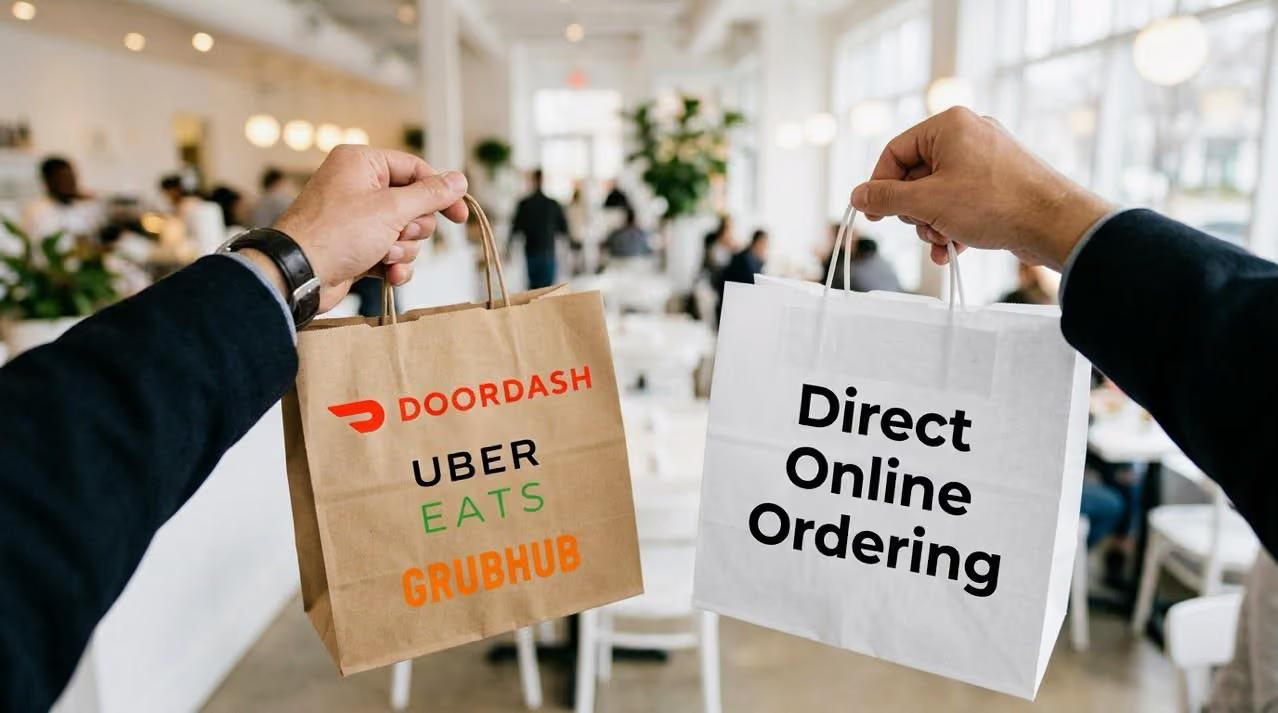
Ordering via your website, Google, social, and QR codes reduces third-party commissions and helps you own customer data.
Guest checkout, fewer form fields, multiple payment options, and real-time order transparency significantly reduce abandonment.
POS integration, analytics, and loyalty programs turn online ordering into a repeat-revenue engine, not just a convenience feature.
A century ago, patience was a virtue. Today, not so much! As consumers, we want everything to be delivered at our doorstep, without any delays or errors. All we want is to place an order, know that it will be delivered in less than 40 minutes and get on with our work - work that's more profitable than waiting on a call while the person on the other side inputs the order on his system before confirming the availability of the stock or pricing.
We live a modern life in a modern world that is much more efficient, fast and convenient than any era in the past and we want to make the best use of our time - because time is precious. What more? We are happy to pay a premium price if it brings comfort and convenience.
The stakes for restaurants are higher than ever, with 41% of customers preferring to order directly from restaurant websites rather than through third-party platforms. Recent studies show that 70-80% of restaurant traffic now comes from mobile devices, making a seamless digital ordering experience non-negotiable. Restaurants that fail to optimize their online ordering systems face a stark reality: a 5-second delay in page load time can increase bounce rates by 38%, directly impacting your bottom line.
As for restaurant owners, the truth is that if you are not able to provide a fast, efficient and convenient ordering process to your customers, you're going to lose business - and a lot more. In today's competitive landscape, optimizing your online ordering isn't just about keeping up-it's about survival. Restaurants with streamlined digital experiences capture more sales, reduce third-party commission fees, and build valuable customer databases for personalized marketing.
"Having an online ordering system can be a game-changing investment for many entrepreneurs, whether it be restaurant owners, food chain owners or franchisers."
Here are five ways that will help you get orders streaming in and out the door without any hassle.
Optimize Your Digital Menu for Conversions
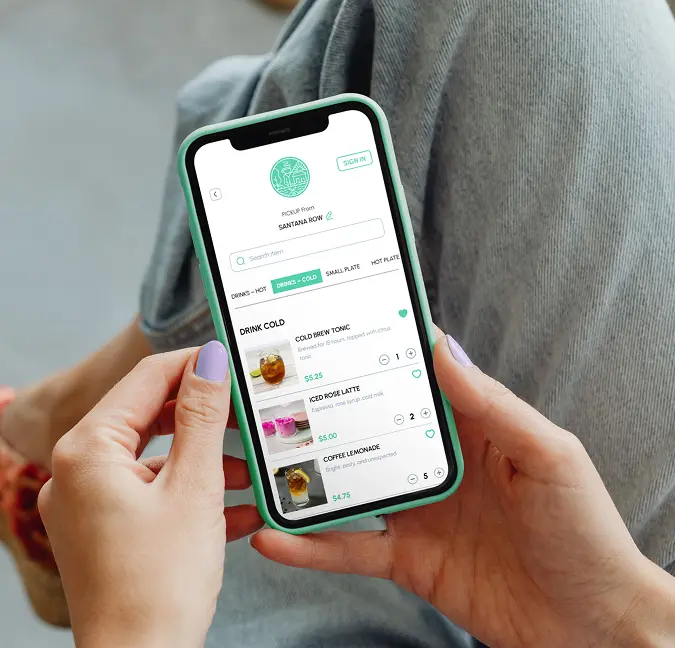
Your digital menu is your virtual salesperson-it needs to work hard to drive both conversions and average order value. Unlike physical menus, digital menus can be strategically engineered to highlight your most profitable items and guide customer decisions.
Menu Engineering Best Practices:
- Highlight best-sellers and profitable items: Create "Most Popular" or "Staff Picks" sections to draw attention to high-margin dishes. Position these items in the "golden triangle" – the first areas where customers' eyes naturally land when viewing your menu.
- Use high-quality, appetizing photos: Professional food photography can increase item sales by up to 30%. Ensure every dish has a high-resolution image that accurately represents what customers will receive.
- Write clear, concise descriptions: Keep descriptions under 30 words, focusing on key ingredients, preparation methods, and flavor profiles. Include dietary information (gluten-free, vegan, etc.) to help customers make quick decisions.
- Group items logically: Organize your menu into intuitive categories (appetizers, mains, sides, desserts) to make navigation effortless. Consider creating bundles or family meal packages to increase average order value.
Remember to regularly update your menu based on sales data. Track which items perform best online and adjust placement accordingly. Items that don't translate well to delivery (soggy fries, melting ice cream) should be modified or removed from your online menu to maintain quality standards and customer satisfaction.
A well-optimized digital menu isn't static-it's a dynamic tool that evolves based on customer behavior and sales performance. By implementing these strategies, you can see a 10-25% increase in average order value without changing your prices.
Mobile Optimization and User Experience
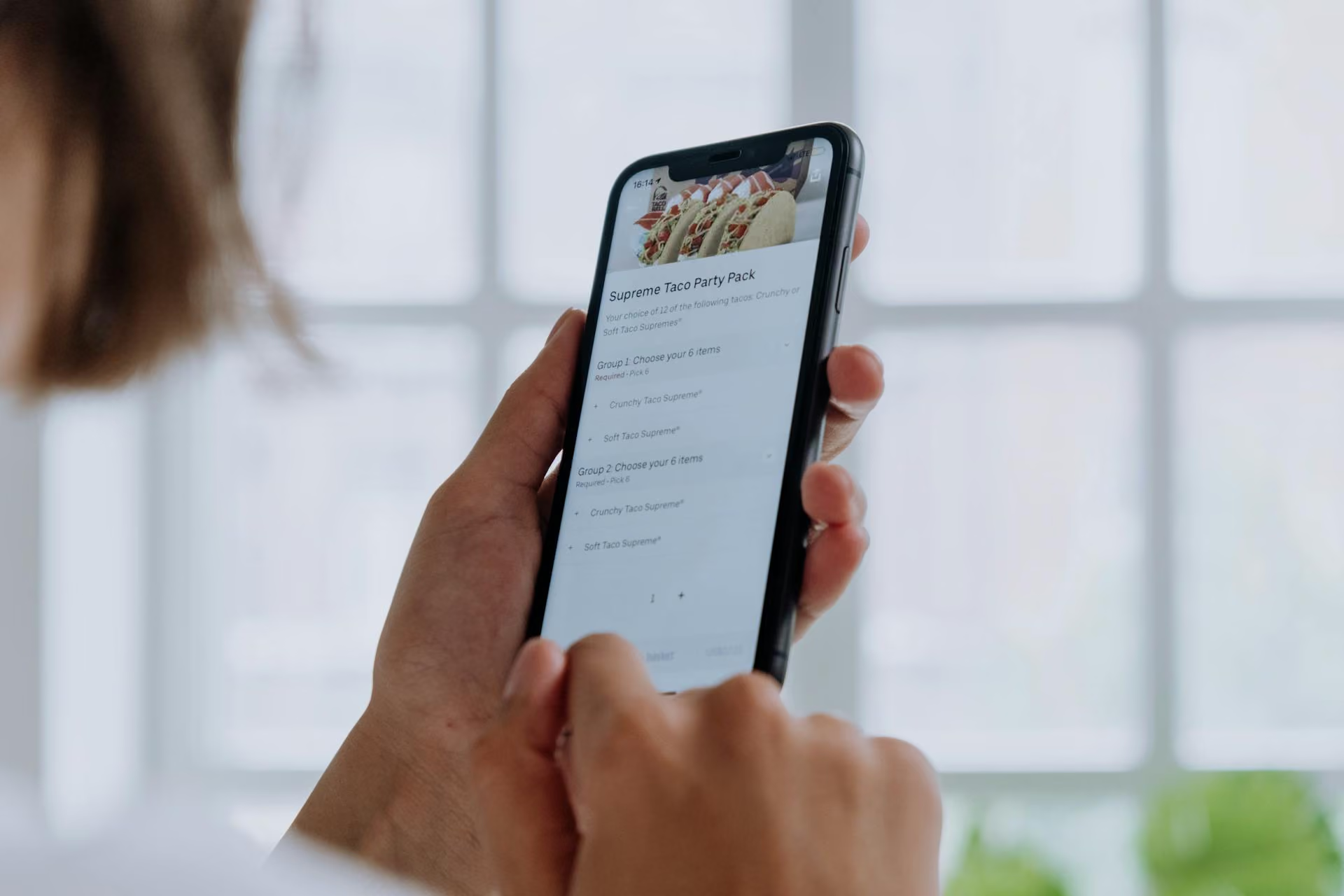
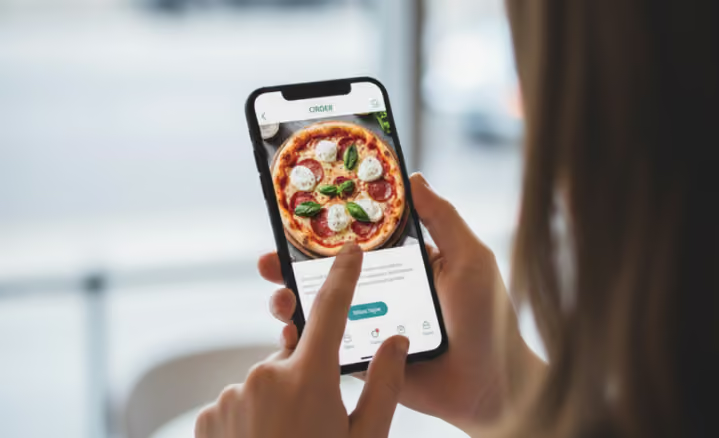
With 70-80% of restaurant orders now coming from mobile devices, a mobile-first approach to your online ordering system is essential. Customers expect the same seamless experience on their phones as they would get on desktop-if not better.
Mobile UX Checklist:
- Responsive design: Your ordering platform must automatically adjust to different screen sizes without losing functionality or visual appeal.
- Fast load times: Each second of delay in mobile page load time can reduce conversions by up to 20%. Optimize images and minimize unnecessary elements.
- Large, easy-to-tap buttons: Make all interactive elements at least 44x44 pixels to accommodate finger tapping without frustrating mis-clicks.
- Readable text: Use a minimum 16px font size for body text and ensure strong color contrast between text and background.
- Streamlined checkout: Reduce the number of steps to complete an order. Each additional step can decrease conversion rates by 10%.
- No horizontal scrolling: Keep all content in a vertical flow to match natural mobile browsing behavior.

Before launching, test your mobile ordering experience across multiple devices and browsers. Pay special attention to the checkout process, as this is where most mobile abandonment occurs. A well-optimized mobile experience can significantly boost your conversion rates and customer satisfaction, turning one-time buyers into repeat customers.
Enable multiple online ordering channels
Your customers are everywhere, so should your business! The idea is to cover all possible ordering channels so your customers don't have to waste even a second to find your business after they have made up their mind to order from you. Remove all the barriers between your business and customers. Make it easier for them to order from you, 24/7/365.
Omnichannel Ordering Checklist:
- Website: Your branded website should be your primary ordering channel, offering the full menu and seamless checkout experience.
- Google Business Profile: Add direct ordering links to your Google listing where local searchers can find you. This captures customers with high purchase intent.
- Social Media: Integrate ordering capabilities directly into your Facebook and Instagram profiles using "Order Food" buttons or linked bio URLs.
- Mobile App: Consider a branded app for regular customers, enabling push notifications and loyalty program integration.
- QR Codes: Place QR codes on physical menus, table tents, receipts, and packaging to bridge the offline-to-online gap.
Implementation is straightforward: ensure your online ordering system provider supports multi-channel integration. Place ordering buttons prominently on all digital properties, using consistent branding and messaging. Train your staff to promote direct ordering channels to dine-in customers.
The benefits of direct ordering are substantial: you'll save 15-30% on third-party commissions while capturing valuable customer data for remarketing. Studies show that restaurants with omnichannel ordering strategies see 20% higher customer retention rates and 30% higher average order values compared to single-channel operations. Choosing a comprehensive online ordering solution makes it easier to manage these channels from one platform while delivering a consistent customer experience across every touchpoint.
So how do you do that? By simply investing in an online ordering system that allows your customers to order from various channels - i.e website, mobile application, and even social media, and make sure that your online ordering system is compatible across all desktop and mobile devices. This means continually optimizing your site so it's responsive across all devices
Let your customers have control over the process
How frustrating it can be when you're not allowed to browse the categories/menu/collection without signing up on the website? Such website/businesses experience more than 80% bounce rate on a daily basis. Forcing people to create an account is just too intrusive for first-time customers, and it's a major conversion killer. Moreover, people tend to resist that which is forced upon them.
Having the "Guest Checkout" option is one of the finest ways to ensure that you provide a seamless online ordering experience to your customers who do not want to sign up. Request only an email ID or phone number that you can use to communicate with them. If they wish to check out as Guest, allow them to fill in additional account information, like billing and shipping details, and make sure to include an explanation for why it's required.
Checkout Friction Reduction Strategies:
- Minimize required fields: Limit form fields to essential information only. Each additional field can reduce conversion rates by up to 7%.
- Implement progress indicators: Show customers where they are in the checkout process (e.g., "Step 2 of 3") to set clear expectations.
- Enable autofill functionality: Support browser autofill for addresses and payment information to speed up checkout.
- Provide clear error messages: When validation fails, explain exactly what needs to be fixed (e.g., "Please enter a valid zip code" instead of "Error").
- Offer single-page checkout: When possible, consolidate the checkout process to a single page to reduce abandonment.
Order Transparency Features:
- Real-time order tracking with estimated preparation and delivery times
- Automated status notifications via SMS or email
- Clear delivery zone boundaries and estimated arrival windows
By implementing these customer-centric features, you'll significantly reduce cart abandonment rates while building trust with first-time customers. Research shows that transparent, low-friction ordering processes can increase conversion rates by up to 35%.
Provide multiple payment options
One is never enough, neither two, nor three! It's fair to expect customers to use their debit/credit cards to make the payment. You don't want to lose out on sales to folks who are not very comfortable in sharing their card details on new websites.
The best practice is to offer a range of payment options, including Paypal, Google Pay, Apple Pay, paying with gift cards, pay via cash, pay via card on delivery and so on. These multiple payment options increase your conversion rate.
Comprehensive Payment Options Checklist:
- Credit/debit cards: The foundation of any payment system, supporting all major card networks (Visa, Mastercard, American Express, Discover)
- Mobile wallets: Apple Pay, Google Pay, and Samsung Pay for one-tap mobile checkout (crucial since 70-80% of orders come from mobile devices)
- Digital payment services: PayPal, Venmo, and Cash App for customers who prefer not to share card details
- Cash options: Cash on delivery for pickup and local delivery orders
- Gift cards: Digital and physical gift cards that integrate with your ordering system
- Buy now, pay later: Services like Afterpay or Klarna for larger catering orders
Digital Tipping Features: Implement customizable tipping options (15%, 18%, 20%, custom amount) during checkout. Digital tipping increases staff earnings, improves employee retention, and meets customer expectations in the service industry.
Trust and Security: Display security badges (SSL certification, PCI compliance) and payment processor logos prominently during checkout.
Remember that each additional payment method you offer can potentially increase your customer base and conversion rate. The goal is to remove any payment friction that might cause a hungry customer to abandon their order.

Deliver a seamless design
As a brand created to serve people, having a consistent design across all channels will build trust and loyalty amongst customers. One of the major benefits of having an efficient online ordering system in place is that it lets you customize the design with your own logos, brand colors, taglines, etc., thus developing a platform with your own branding.
From home page to check out, make sure all pages follow the same theme so your customer feels a sense of familiarity at every point until the final order is placed. For instance, redirecting people to third-party checkout page will only make your customers skeptical, raising concerns about payment security. Why send them away to another website to pay?
Branding Elements to Customize:
- Color scheme: Use your restaurant's color palette consistently throughout the ordering platform
- Typography: Select fonts that match your brand identity and ensure readability
- Logo placement: Position your logo prominently at the top of every page
- Image style: Maintain consistent photography style across all menu items
- Voice and tone: Ensure menu descriptions and messaging reflect your brand personality
Trust-Building Through Design: Consider how successful restaurants like Chipotle use consistent branding to build customer confidence. Their ordering platform perfectly mirrors their in-store experience, from colors to food presentation, creating a seamless brand experience that customers trust.
Menu Engineering Through Design: Use visual hierarchy to highlight your most profitable items. Place "Chef's Specials" or "House Favorites" in prominent positions. Use badges or icons to draw attention to high-margin items. Subtle design elements like borders or background colors can increase sales of specific menu sections by up to 25%.
Remember that your online ordering platform is an extension of your physical restaurant. The more cohesive and professional your design, the more confidence customers will have in your food quality and service.
Keep distractions to a minimum
It goes without saying, but the checkout page is where all your efforts come to test. It's the final stage of the sales cycle and the most important one. You don't want to ruin the experience by placing unnecessary advertisements or pop-ups to distract your customers from completing the process. The objective here is to make them make the final payment, any kind of distraction at this stage can be a disaster for your business.
If you must place an advertisement, suggest deals or offers, save them until after checkout. Hold off until the customer has placed the order.
Checkout Distractions to Avoid:
- Pop-ups during payment: Never interrupt the checkout flow with promotional pop-ups or surveys. These can increase abandonment rates by up to 25%.
- Unrelated cross-sells: Avoid promoting items unrelated to the customer's current order during checkout. Save these for post-purchase emails.
- Excessive form fields: Each unnecessary field creates friction. Remove fields for information you don't absolutely need to complete the order.
- Competing calls-to-action: The primary button should always be "Complete Order" or "Pay Now" - don't compete with secondary actions.
Strategic Placement for Upsells: The best time to suggest add-ons is immediately after an item is added to cart (e.g., "Would you like to add a drink?") or on the cart review page before entering payment details. Research shows that well-timed, relevant upsells can increase average order value by 10-15% without negatively impacting conversion rates.
Remember: the checkout process should be a straight path to completion, not a maze of distractions. Save your marketing efforts for before cart addition or after purchase confirmation.
Promote Your Online Ordering System
Building a great online ordering system is only half the battle-you need to actively promote it to drive traffic and orders. A strategic promotional plan ensures customers know about your direct ordering channel and the benefits it offers.
Marketing Tactics Checklist:
- Google Business Profile: Update your listing with direct ordering links and "Order Online" buttons. Studies show that 76% of people who search for a restaurant on their phone visit one within a day.
- Social Media Promotion: Post mouth-watering food photos with direct ordering links in your bio and stories. Use action-oriented captions like "Order now with just one click!"
- Email Marketing: Send regular newsletters featuring new menu items, promotions, and exclusive online-only deals to your customer database.
- SMS Campaigns: Text messaging has a 98% open rate-use it for time-sensitive promotions like "Lunch Rush Special: 20% off orders placed before noon today."
- In-Store Promotion: Place QR codes on tables, receipts, packaging, and physical menus that link directly to your ordering platform.
- First-Order Incentives: Offer a discount (10% off or free appetizer) for first-time direct orders to convert third-party app users to your platform.
Implementation Priority: Start with your owned channels (website, email list, in-store promotion) before investing in paid advertising. Test different offers to identify which drives the highest conversion rate, then scale your successful tactics.
Remember to track the source of your orders to measure which promotional channels deliver the best ROI. This data-driven approach allows you to optimize your marketing spend and focus on the tactics that drive real results for your restaurant.
Loyalty Programs and Repeat Business
Acquiring a new customer costs 5-7 times more than retaining an existing one, making loyalty programs one of the most cost-effective marketing investments for restaurants. A well-designed loyalty program not only encourages repeat orders but also increases average order value and provides valuable customer data.
Effective Loyalty Program Types:
- Points-based systems: Customers earn points for every dollar spent, redeemable for free items or discounts (e.g., 10 points per dollar, 500 points = free entrée)
- Tiered rewards: Different membership levels with escalating benefits (Bronze, Silver, Gold) that encourage increased spending to reach higher tiers
- Subscription models: Monthly fee for exclusive benefits like free delivery, member pricing, or special menu items
- Visit-based rewards: Simple punch-card style programs (digital version) that reward frequency (e.g., buy 9 meals, get the 10th free)
Real-World Success: Successful restaurant brands like Chipotle have seen tremendous results from their loyalty programs. Chipotle's rewards program contributed to a 65% increase in digital sales, with loyalty members visiting 25% more frequently than non-members.
The key to loyalty program success is seamless integration with your online ordering system. Customers should automatically earn points or rewards with each order without needing to take extra steps. Display their current points balance, available rewards, and progress toward the next tier during checkout to encourage larger orders and repeat visits.
Track and Analyze Order Data
In the digital ordering world, data is your competitive advantage. By tracking and analyzing your order data, you can make informed decisions that optimize your menu, marketing, and operations for maximum profitability.
Key Metrics to Monitor:
- Order volume patterns: Track daily, weekly, and seasonal trends to identify your busiest periods and optimize staffing accordingly
- Best-selling items: Identify your top performers to highlight them in marketing and menu placement
- Average order value (AOV): Measure how much customers typically spend and test strategies to increase this figure
- Conversion rate: Track the percentage of website visitors who complete an order to identify potential friction points
- Customer frequency: Monitor how often customers return to place orders and identify opportunities to increase visit frequency
- Abandoned carts: Analyze which items are frequently abandoned to identify potential issues with pricing or description
Data-Driven Decisions: Use your analytics to make strategic improvements like:
- Restructuring your menu to highlight high-margin items that data shows perform well
- Creating targeted promotions for specific customer segments based on their ordering history
- Adjusting pricing on items with high view-to-cart ratios but low conversion
- Optimizing delivery zones based on order density and profitability analysis
Modern online ordering platforms include robust analytics dashboards that make data collection automatic. Schedule weekly review sessions with your team to analyze trends and implement data-driven improvements to your menu, marketing, and operations.
POS and System Integrations
Seamless integration between your online ordering system and point-of-sale (POS) system eliminates manual data entry, reduces errors, and creates operational efficiency that benefits both your staff and customers.
Key Integration Benefits:
- Real-time menu synchronization: Update your menu, pricing, or availability in one place and have changes automatically reflected across all ordering channels
- Automated order routing: Orders flow directly from your website to your kitchen display system without staff intervention, reducing errors and preparation time
- Inventory management: Automatically track ingredient usage across in-person and online orders to prevent stockouts and over-ordering
- Unified reporting: View sales data from all channels in a single dashboard for comprehensive business analysis
- Customer database integration: Maintain a single customer profile across ordering channels to enable personalized marketing
When selecting an online ordering provider, prioritize those that offer direct integration with your existing POS system. The initial setup investment pays dividends through reduced labor costs, fewer errors, and a more streamlined operation that can handle higher order volumes without adding staff.
According to restaurant technology research, businesses with integrated POS and online ordering systems report 30% fewer order errors and 25% faster order processing times compared to those using separate systems.
Solutions tailored to your needs
Every business is different and has different expectations from an online ordering system. Here at Restolabs, we know how important it is to make your business stand out on the food market! We're a big fan of efficiency and convenience, and we've developed a whole bag of tools to create a seamless online ordering experience for your customers.
Our platform offers comprehensive features beyond basic ordering: detailed analytics to track customer behavior, seamless POS integrations with major providers, customizable loyalty programs to drive repeat business, and multilingual support to serve diverse customer bases. Whether you're a single location or a multi-unit operation, our scalable solution grows with your business. You can also request a demo to try the software for free for 30days.

Bharti Batra has extensive experience in restaurant technology and business operations. She writes about digital transformation in the hospitality industry, helping restaurants streamline processes and enhance efficiency. With a deep understanding of scaling and optimizing restaurant tech, she shares insights to help businesses grow.
Frequently Asked Questions
A simple online ordering process improves customer experience, reduces cart abandonment, and increases overall conversions, leading to higher sales.
You can optimize your system by ensuring a mobile-friendly interface, providing multiple payment options, and streamlining the checkout process to reduce friction.





.webp)

.svg)
.webp)